
Using the Wayback Machine to Check for Page Changes
Sometimes we want to see how a page has changed over time, or know when a page disappeared. Using the Wayback Machine can help you do that.
Here’s how that works. Go to the Wayback Machine and search for a page or site. Here we’ll search for the front page of the White House site:

The Wayback Machine doesn’t archive every page, but they do archive an awful lot of them. Whether a page is archived will often depend if a page was heavily linked to in the past, or if it was published by a site that the Wayback Machine tracks. In the case of the White House, of course, both these things are true and we have a near perfect history of the site.
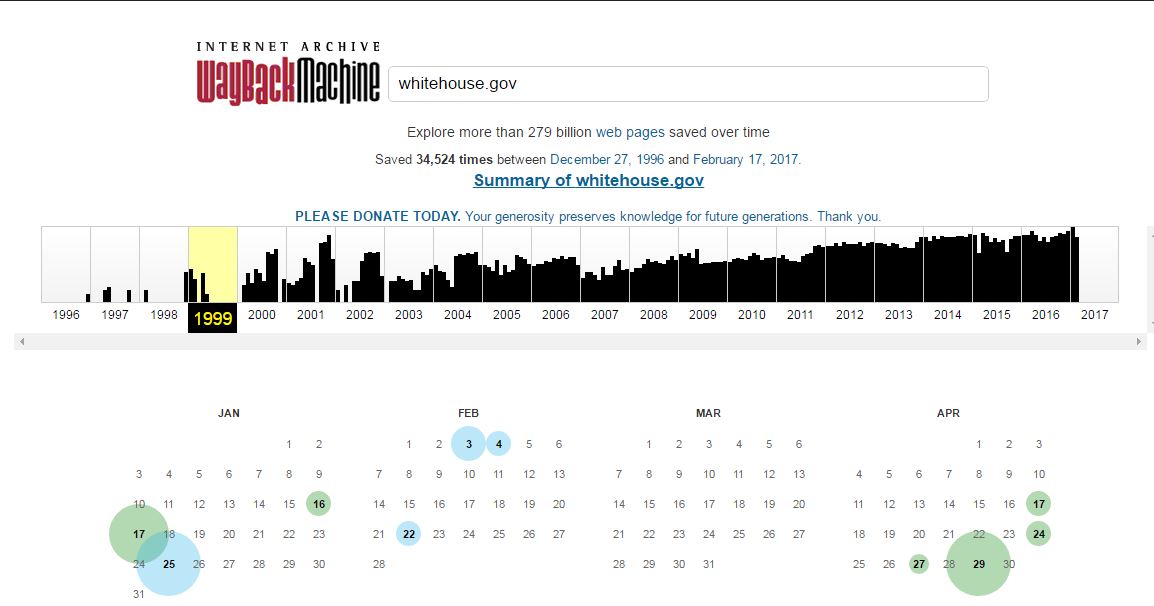
Let’s go back in time all the way to 1999. When we select 1999, we see a calendar. Each circle indicates a snapshot made of the site. The green and blue indicate whether the page was a “redirect” — an issue beyond the scope of this article.
Click on a date to see a “snapshot” of the page on that date. Here we see a snapshot of the site from January 1999, at the tail end of the Clinton administration.
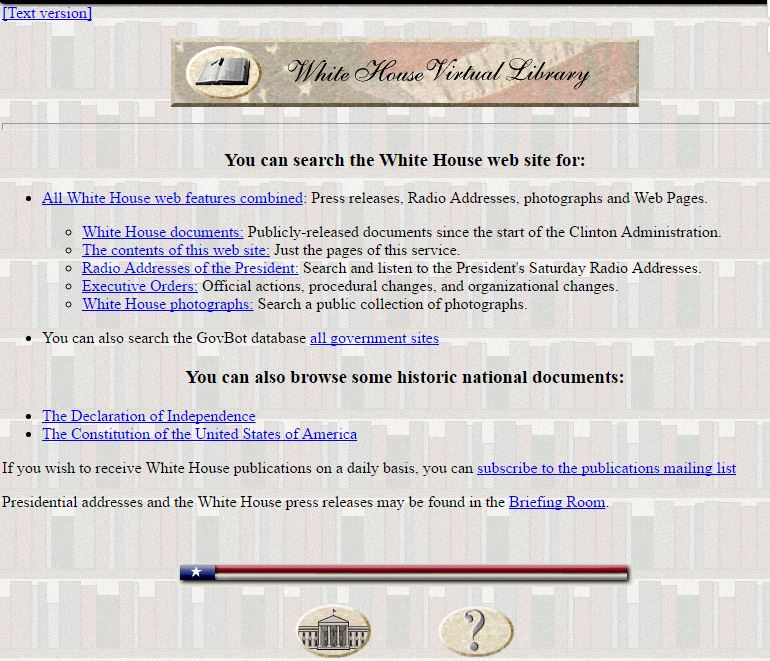
Sites will be browsable, to some extent, so go ahead and click on the links. Advanced functionality, such as search interfaces and interactive content will usually not work.